Updated: 03 April 2026

One network failure was all it took. The real question was whether the next one would come during a quiet Tuesday in July - or on the biggest shopping weekend of the year.
A Bangalore-based fashion retailer with 80 stores across 4 states replaced a fragmented legacy network with Cisco Meraki in 42 days - before Navratri.
Deployment used zero-touch provisioning: devices shipped to stores, self-configured on plug-in, managed centrally from Bangalore. No on-site engineers required in Tier 2 cities.
Dual-WAN automatic failover (wired ISP + 4G LTE) activated twice in the first 3 weeks. POS operations continued uninterrupted on both occasions.
Post-deployment: 99.2% network uptime. Zero POS downtime incidents in 90 days. New store provisioning cut from 3 days to under 4 hours.
The call came at 11:20 on a Tuesday night.
Three stores - two in Koramangala, one on Commercial Street — had gone offline at the same time. Not a power cut. A network failure. POS terminals were frozen mid-transaction. Staff were writing down purchases by hand. Customers were waiting, then leaving. And the company's IT head was 340 kilometres away at a store launch in Hyderabad, watching his phone fill up with messages he already knew the answers to.
It was the third such incident in five weeks.
Navratri was 42 days away.
This is the story of what happened next — how a Bangalore-based fashion and lifestyle retailer with 80 stores across Karnataka, Tamil Nadu, Andhra Pradesh, and Telangana tore out its entire network infrastructure and rebuilt it in six weeks, store by store, city by city, while remaining open for business throughout. It is not a story about technology. It is a story about what happens when a growing company finally confronts the gap between the infrastructure it built and the infrastructure it actually needs.
The audit that followed the July incidents was, in one sense, reassuring: the problems were real, documented, and fixable. In another sense, it was exactly as alarming as the IT head had feared.
Like most Indian retail chains that grew quickly through their first decade, this company had expanded faster than its IT thinking.
When the first 10 stores opened, the network was an afterthought — something the local IT vendor sorted out cheaply and quickly because there were bigger problems to solve. When the chain crossed 40 stores, nobody went back to revisit what had been installed in years one through three. When it reached 80, the accumulated decisions of a hundred small compromises had become the foundation on which the business was standing on.
31 stores had switches from 3 different vendors - no unified management possible
19 stores running on consumer-grade broadband with no ISP failover
11 stores with wireless access points not updated since 2019
14 stores with configurations so inconsistent they defied categorisation
0 stores with centralised network monitoring or automated alerting
Average incident detection time: 40–90 minutes, dependent on store staff noticing and calling IT.
There was no central monitoring system. There was no single view of which stores were online, which were degraded, and which were one loose cable away from the same failure that had just taken down Koramangala and Commercial Street. When something broke, the store manager called the IT team. The IT team called a local vendor. The local vendor drove to the store. By the time anyone understood the problem, two or three hours had passed.
"I put together a two-page summary for the CEO and CFO," the IT head said later. "I didn't use any technical language. I said: We have 80 stores, and on any given day, I cannot tell you with confidence how many of them are actually working. That got their attention immediately."
It got their budget approval, too.
"We have 80 stores, and on any given day, I cannot tell you with confidence how many of them are actually working."
The shortlist had four vendors. Two were established enterprise networking players. One was a newer SD-WAN-focused company with aggressive pricing. Cisco Meraki was the fourth — and on a pure hardware-cost comparison, the most expensive option being evaluated.
The conversation nearly ended there.
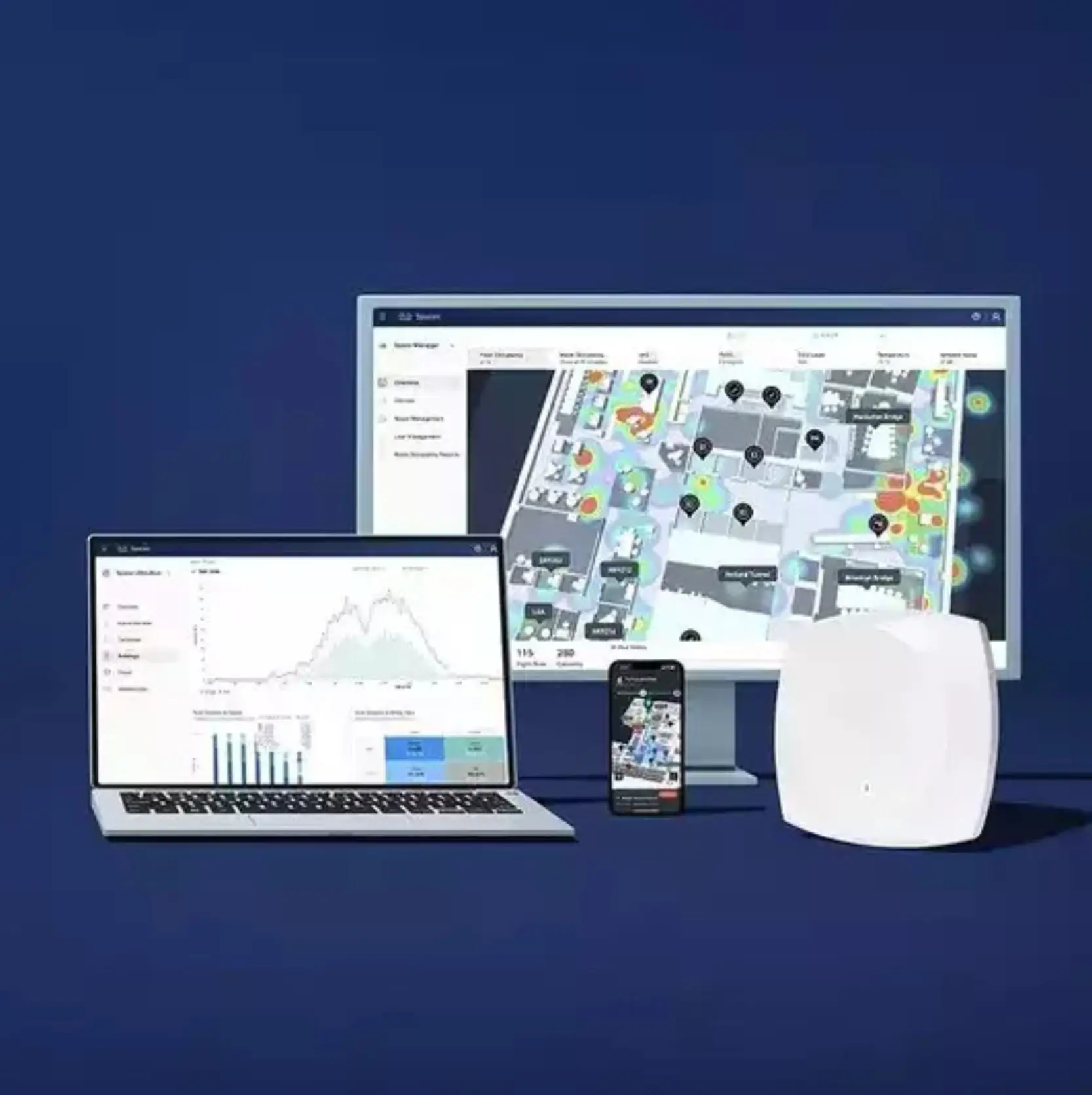
What changed it was a dashboard demonstration. The Proactive team was asked to show what the system would look like if three stores went offline at 9 PM on a Saturday during Diwali week. They showed it: which stores had failed, which devices were responsible, what the likely cause was, and how to push a configuration fix remotely - all from a single screen, in under four minutes, without anyone setting foot outside the office.
The CFO, who had been focused on hardware cost, asked a different question after that demonstration. Not "what does this cost?" but "what does the alternative cost?"
The alternative was not the cheaper vendor. The alternative was continuing to run 80 stores on a network nobody fully understood, through a festive season that would account for close to 40% of annual revenue, with incident detection that depended on a store manager noticing something was wrong and picking up the phone.
The per-device licensing cost of Meraki stopped looking like the expensive option when it was placed next to that calculation. Budget approval came within a week of the demonstration.
The deployment plan was built around a single constraint: the stores could not close. Every installation had to happen around trading hours, in a live retail environment, without disrupting POS systems for more than a controlled maintenance window.
Proactive's team structured the rollout in four waves, sequenced by risk and proximity rather than geography alone.
Wave 1: 11 Bangalore stores within 15km of the head office. The proving ground. Every configuration decision made here was locked and replicated downstream.
Wave 2: Remaining Bangalore stores and the Mysuru cluster.
Wave 3: Chennai and Coimbatore.
Wave 4: Hyderabad, Vijayawada, and Tier 2 locations. Completed two days ahead of schedule.
MX: Meraki MX security appliance - primary gateway and SD-WAN head-end
MS: Meraki MS switches - scaled to store size
MR: Meraki MR access points - shop floor, stockroom, staff and customer Wi-Fi
WAN: Dual-WAN: primary wired ISP + 4G LTE failover, standard across every location
Zero-touch provisioning was the operational lever that made the timeline possible. Devices were pre-configured in Bangalore before being shipped directly to store locations. On arrival, a local technician - not a network engineer, not someone with specialist training, in some cases the store's own maintenance staff — plugged in the hardware, confirmed the indicator lights, and called the central team. The device found the Meraki dashboard, pulled its configuration, and came up fully operational. The central team watched it happen on the screen in front of them.
For the Tier 2 city stores - Mysuru, Coimbatore, Vijayawada - this was the difference between a six-week deployment and a six-month one. There were no resident network engineers in those cities. Under the old model, every installation would have required flying someone in, paying for accommodation, and hoping nothing unexpected came up. Under this model, the expertise stayed in Bangalore, and the hardware went to the stores.
A deployment across four states and 80 live retail locations will surface problems. The measure of a deployment team is not whether problems appear but how fast they are resolved without derailing the timeline.
Week four was the Chennai wave, and it surfaced two problems in the same week.
The first was ISP inconsistency. Three Chennai stores were on providers whose real-world upload and download profiles were inverted from the contracted specifications — a common problem in Indian Tier 1 cities where last-mile quality varies dramatically within a single postcode.
The SD-WAN traffic policies had been tuned for the ISP profiles seen in Bangalore. In Chennai, they needed to be recalibrated. Not a difficult fix — but it required identifying the problem first, which took a day, and then testing revised policies across the affected stores, which took another day and a half.
The second problem was more basic and more frustrating. One store's network cabinet had been installed by the building contractor in a position that made it physically impossible to run cable to three of the four intended AP positions without opening the wall. The store had been trading for eight months. Nobody had flagged this during the site survey because the survey had not anticipated a new AP installation. The team redesigned the coverage plan for that store on-site, validated that there were no dead zones, and signed off.
The Chennai wave finished four days behind its internal target. It did not affect the overall project deadline because a buffer had been built into the Hyderabad wave. The Hyderabad wave completed two days early.
"You plan for 80% of the problems. The other 20% is just how fast you can think on site."
Three weeks after the final store in the estate went live, the IT head opened the Meraki dashboard and looked at all 80 stores simultaneously — something that had been technically impossible six weeks earlier.
Network uptime across the estate was running at 99.2%. In the period since go-live, two brief outages had occurred: one at a Coimbatore store caused by an ISP disruption, one at a Hyderabad location caused by a UPS failure. In both cases, automatic failover to the LTE backup link had activated within 60 seconds. POS operations continued through both incidents without interruption. In both cases, the central team received an automated alert and began remote diagnosis before the store manager was aware anything had happened.
The LTE failover, which had looked like an insurance premium on the procurement spreadsheet, had paid for itself twice in the first three weeks.
The festive season arrived. Navratri brought the highest single-week transaction volume in the company's history. Diwali week was higher still. There were no network incidents. No frozen POS terminals. No Saturday-night calls from managers in Koramangala.
Not because the network had done something remarkable. But because it had done nothing, which, if you were there in July watching three stores go dark simultaneously, is exactly what a well-built network is supposed to do.
| Metric | Before Cisco Meraki | After Cisco Meraki |
|---|---|---|
| Network visibility | None — fragmented, store-by-store | All 80 stores, single dashboard, real-time |
| Incident detection time | 40–90 min (store manager reports it) | Under 2 minutes — automated alert |
| ISP failover | Manual — required on-site visit | Automatic, under 60 seconds |
| New store provisioning | 1–3 days, specialist engineer on site | 2–4 hours, zero-touch — no specialist needed |
| POS downtime incidents | 3–4 per month across estate | Zero in 90 days post-deployment |
This deployment is instructive not because it is unusual but because it is ordinary. The same conversation is playing out in retail chains, QSR franchises, and multi-location service businesses across India right now. The mistakes tend to cluster around three decisions.
When a chain opens its first 10 stores, the network is an afterthought - patched together quickly and cheaply because there are more urgent priorities. By store 40, that patchwork has become load-bearing, and nobody wants to touch it. By store 80, it is a liability disguised as infrastructure.
The per-device price of a Meraki deployment is higher than some alternatives. The cost of a network engineer flying to Chennai at short notice to troubleshoot a store outage the night before Diwali does not appear on the same spreadsheet - but it should. Neither does the cost of a transaction that didn't happen because the POS terminal was frozen.
In a business where store openings are constant, the ability to ship a device to a new location and have it come up configured and managed from day one is not a technical feature. It is an operational capability that changes the economics of expansion. This retailer opened six new stores in the quarter after the Meraki deployment. Each came up in under four hours.
The festive season is not the right time to fix your network. It is the time when your network will be tested most severely against whatever decisions you made in the months before it.
The window is now. The question is not whether to upgrade — it is whether the upgrade happens on your schedule or on the network's.
Walk through a live dashboard view of a multi-location retail estate. No slide deck.
Note: This account is a composite representation of a real deployment profile. Company identity, personnel names, and certain operational details have been adapted to protect confidentiality. Network performance figures reflect outcomes from comparable Cisco Meraki deployments across Indian retail environments.

Deepak Sinha Senior Presales Manager, Enterprise Networking
We'll get back to you shortly.