Updated: 06 January 2026
The data centre manager at a Mumbai fintech firm had a problem. His network was choking. Trading platforms were lagging. The AI models his team had been experimenting with needed bandwidth he simply didn't have. And the switches they'd installed three years ago? Already obsolete.
Across industries, IT leaders are discovering that yesterday's infrastructure can't handle today's workloads. Especially when AI enters the picture.
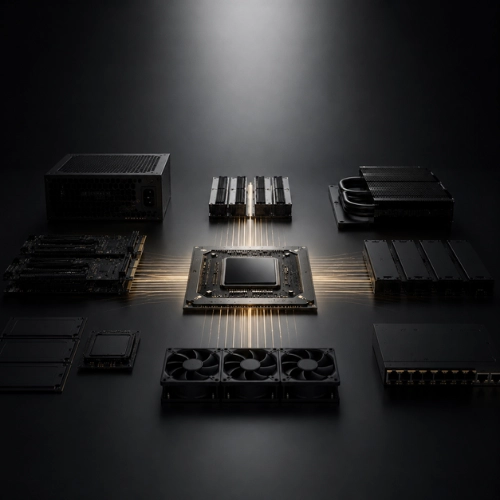
The Nexus 9300 is Cisco's modular data centre switch designed for high-density environments. It runs on Cisco's NX-OS operating system and supports speeds from 1 Gbps to 400 Gbps per port.
Think of it as the nervous system of a modern data centre. It moves packets, sure. But it also shapes how your entire infrastructure behaves under pressure.
The series includes fixed and modular platforms. The fixed models suit smaller deployments or leaf-spine architectures. The modular chassis, like the 9364C, give you room to grow without ripping everything out in two years.
The architecture follows Cisco's Application Centric Infrastructure (ACI) principles. That means the switch doesn't just forward traffic. It enforces policies based on applications, not just IP addresses or VLANs.
Here's the simple version: traditional switches think in terms of ports and cables. The Nexus 9300 thinks in terms of applications and intent. You tell it what you want to achieve. It figures out how to make it happen across your fabric.
The merchant silicon inside (usually Broadcom Trident or Jericho chipsets) delivers the raw forwarding speed. Cisco's software adds the intelligence. Buffer management, telemetry, and Quality of Service all tuned for predictable performance when your network gets hammered.
The spine-and-leaf topology is where this really shines. Leaf switches connect to your servers. Spine switches connect the leaves. Every server is exactly two hops from any other server. Latency stays consistent. No more wondering why one rack performs differently from another.

That fintech firm I mentioned? They deployed Nexus 9300s as leaf switches in a Clos network. Their AI team could suddenly train models 40% faster. Not because the GPUs changed. Because the network finally stopped being the bottleneck.
Manufacturing companies in Pune use them to connect IoT sensors at the edge and stream data back to central analytics platforms. Healthcare providers in Chennai run them in imaging centres where radiologists need instant access to multi-gigabyte scans.
The common thread? Workloads that can't tolerate unpredictability.
AI training doesn't behave like web traffic. When a GPU cluster communicates, every node needs to send and receive data simultaneously. It's called collective communication, and it creates massive incast patterns (hundreds of flows converging on a single destination at once).
Traditional switches buckle. Buffers overflow. Packets drop. The entire training job slows to a crawl or crashes.
The Nexus 9300 handles this through deep buffers and intelligent congestion management. Models like the 9364C offer up to 32 GB of packet buffer memory. That's not marketing fluff. It's the difference between a training job that completes overnight and one that takes three days.
RDMA support matters here, too. Remote Direct Memory Access lets GPUs talk to each other without bothering the CPU. Lower latency. Higher efficiency. The Nexus 9300 supports RoCEv2 (RDMA over Converged Ethernet), which gives you InfiniBand-class performance without the specialised cabling.
Priority Flow Control and Explicit Congestion Notification keep traffic flowing smoothly even when the network is saturated. Your AI jobs get the bandwidth they need. Your storage traffic doesn't get starved. Everything coexists.
The range is broad. You've got 1G, 10G, 25G, 40G, 50G, 100G, and 400G options depending on the model.
The 93180YC-FX gives you 48 ports of 25G plus six uplink ports of 100G. Perfect for a leaf switch in a medium-sized fabric.
The 9364C modular chassis? You can stuff it with 400G line cards and scale to multiple terabits of throughput. When AI workloads double next year, you add cards. You don't replace the chassis.
Some models support breakout cables. One 100G port becomes four 25G ports. Flexibility when you're connecting different generations of servers or mixing workload types.
The Nexus 5000 and 7000 series served their purpose. But they're from a different era. The 5000 was top-of-rack. The 7000 was a chassis for core aggregation. Both used older silicon. Neither was designed for the scale-out, east-west traffic patterns of modern data centres.
The 9300 is purpose-built for leaf-spine. Higher port density. Better buffers. Native support for VXLAN overlays and EVPN control planes. Telemetry baked in from day one.
Power efficiency improved, too. The 93180YC-EX delivers 3.6 terabits of throughput while drawing less power than older models that could barely push half that.
If you're still running 5Ks or 7Ks, they're not broken. They're just limiting what you can do next.
Cisco ACI is the flagship option. You get a centralised controller, policy-based automation, and a single pane of glass for the entire fabric. Configuration changes deploy in seconds instead of hours.
But you don't have to go all-in on ACI. The Nexus 9300 works perfectly well in NX-OS standalone mode. You can use Ansible, Python scripts, or Cisco's DCNM (Data Centre Network Manager) for orchestration.
REST APIs and NETCONF interfaces mean you can integrate with whatever automation framework your team already uses. Infrastructure as code isn't a nice-to-have anymore. It's how you keep up.
Telemetry streaming is another quiet superpower. The switches push granular performance data (buffer depths, queue lengths, packet drops) to your analytics platform in real time. You spot congestion before users complain. You see traffic patterns emerging and adjust capacity proactively.
Yes. But you need a plan.
If you're adding Nexus 9300s to an existing Cisco fabric, integration is straightforward. VLANs, VRFs, routing protocols, all standard. You can migrate incrementally, moving workloads over as new switches come online.
Multi-vendor environments need more thought. The Nexus 9300 speaks BGP, OSPF, and LACP like any enterprise-grade switch. You won't have issues with basic connectivity. But advanced features (VXLAN with EVPN, for instance) might not interoperate cleanly with non-Cisco kit unless you're very deliberate about design.
Many organisations run a hybrid approach. Nexus 9300s in the data centre core where performance matters most. Older or third-party switches at the edge or in less critical locations. It works, as long as you've got someone who understands where the boundaries are.
Cisco's licensing has shifted over the years. Some features are included in the base. Others require additional licences.
ACI requires a subscription. The Essential edition gets you basic fabric automation. The Advantage edition adds multi-site orchestration. The Premier edition unlocks full visibility and analytics.
In NX-OS mode, most features are available without extra licences. But certain advanced capabilities (like Tetration analytics integration or specific security modules) might carry additional costs.
Software updates come through Cisco's support portal. Keeping NX-OS current isn't optional. Newer releases bring performance improvements, bug fixes, and support for the latest optics and protocols.
One thing to watch: end-of-life dates. Cisco publishes clear timelines for when models stop receiving updates. The 9300 series is current and will be for years. But if you're evaluating older models still on the market, check the support roadmap first.
Start with bandwidth requirements. Add up your server uplinks. Account for growth over the next three to five years. Then pick a switch that can handle that capacity without running at 80% utilisation from day one.
Port density matters. If you've got 40 servers per rack, you need a switch with enough ports to connect them all, or you need to stack or cluster multiple switches.
Buffer depth becomes critical if you're running AI workloads, high-frequency trading, or other latency-sensitive applications. Don't cheap out here. The models with deeper buffers cost more, but they'll actually do the job.
Think about power and cooling, too. A fully loaded 9364C chassis pulls significant watts. Make sure your data center can supply it without redoing your electrical distribution.
And consider the expertise required. ACI is powerful but has a learning curve. If your team is small and already stretched thin, starting with NX-OS standalone might make more sense. You can always migrate to ACI later.
A pharmaceutical company in Hyderabad recently modernised its data centre. They needed to consolidate three research facilities into one and support a new AI-driven drug discovery platform.
They chose the Nexus 9364C chassis for the spine, and 93180YC-FX switches for the leaves. The design delivered 100G to every server, with 400G uplinks between spine and leaf.
The migration happened in phases. Legacy applications moved first. Once those stabilised, they brought over the research databases. Finally, the AI platform went live.
Total downtime? Four hours, scheduled during a weekend maintenance window. The old network would have required days of cutover and weeks of troubleshooting.
Their network engineer said the biggest surprise wasn't the speed. It was the visibility. Telemetry data showed them exactly where traffic was going and how the fabric was performing. For the first time, they could prove to the board that the network wasn't the problem when applications ran slowly.
Organisations with demanding workloads. Enterprises where downtime has a real cost. Teams that need to scale quickly without constant rip-and-replace.
If your data centre is static (same applications, predictable traffic, no plans to change) you might not need what the 9300 offers. A cheaper, simpler switch will do fine.
But if you're adding AI capabilities, migrating to private cloud, supporting hybrid work, or dealing with exponential data growth, the Nexus 9300 starts to make sense. Not because Cisco says so. Because the architecture matches the problem.
Working with a partner who understands both the hardware and your specific environment makes the difference between a smooth deployment and a nightmare. Someone who's done this before. Who knows where the gotchas are? Who can design a fabric that actually fits your space, budget, and team's capabilities? That's not about brand loyalty. It's about getting it right the first time.

Proactive Research
We'll get back to you shortly.