Updated: 01 May 2026
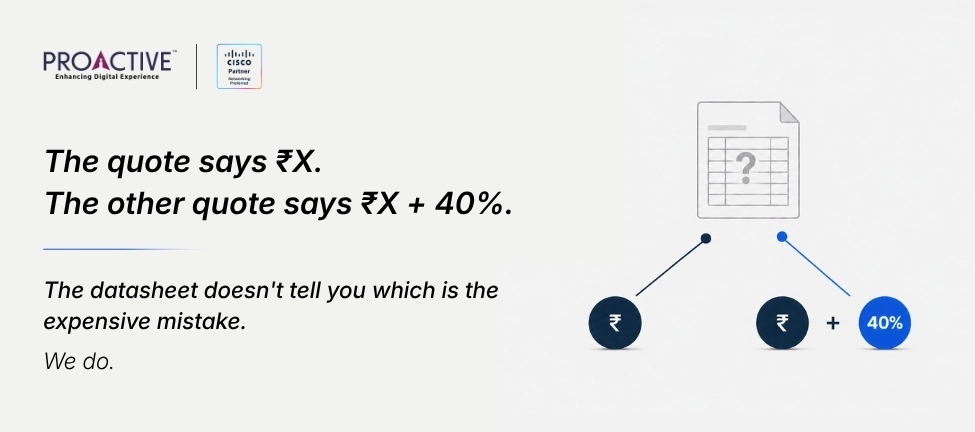
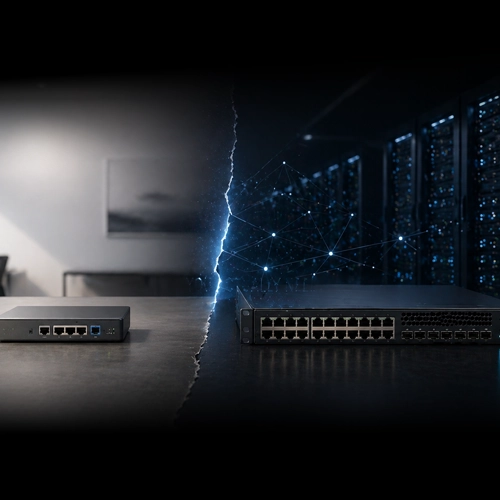
You've got two quotes on your desk. The C9300L is cheaper. The C9300X costs 35–45% more. This guide tells you exactly what you're being asked to pay for — and whether your deployment actually needs it.
The C9300X is the right call when you need 90W UPOE+ for Wi-Fi 6E access points, modular uplinks that can go to 100G, or hardware IPsec at the access layer.
The C9300L is the right call for branch offices, standard 1G access floors, and any environment where uplinks are fixed and PoE demand stays below 60W.
They cannot be mixed in the same stack. Once you choose a series for a wiring closet, you are committed to it for the life of that deployment.
The most expensive mistake: buying C9300L to save CapEx, then discovering 18 months later that your Wi-Fi 6E APs need 90W the C9300L cannot deliver.
Two quotes. One model ends in X. The other ends in L. The price gap between them is real, 35 to 45% on comparable 48-port configurations, and the Cisco datasheet will not tell you whether your deployment justifies it.
This is not an architecture discussion. It is a procurement decision guide. Its job is to answer the question an IT manager at a 500-person company in Bangalore or Delhi NCR is actually asking when two vendor quotes land on their desk: what am I paying for, and does my deployment need it?
The answer is binary and clear once you know three things about your environment: the maximum PoE power your endpoint devices will ever need, whether your uplink speeds are likely to change in the next five years, and whether you are expanding an existing stack. This guide walks through each.
1. C9300X vs C9300L: What the Price Gap Actually Buys You
The C9300X and C9300L are built on different silicon and different stacking architectures. This is not a case of the same hardware at different price points. Here is what changes.
| C9300X | C9300L | |
|---|---|---|
| ASIC | UADP 2.0sec — hardware crypto, line-rate IPsec | UADP 2.0 — standard programmable pipeline |
| Stacking bandwidth | 1 Tbps — StackWise-1T | 320 Gbps — StackWise-320 |
| Stack cable | STACK-T1 (StackWise-480 or 1T) | STACK-T3A — NOT interchangeable with STACK-T1 |
| Max uplink speed | 100G modular (via NM) | 40G fixed — cannot be upgraded |
| Uplink type | Modular — field-replaceable network module | Fixed — soldered to chassis at time of manufacture |
| Max PoE per port | 90W UPOE+ (HX, HXN, 24HX models) | 60W UPOE standard (UXG models) |
| Hardware IPsec | Yes — 100G line-rate in ASIC | No — software only |
| CPU / RAM | x86, 16 GB RAM, USB 3.0 SSD slot (up to 240 GB) | x86, 8 GB RAM, USB 2.0 |
| StackPower | Yes — cross-stack PSU sharing | No — independent PSU per unit only |
| App hosting | Enhanced — double CPU/memory for Docker, ThousandEyes, ASAc | Standard |
| Can mix with standard C9300? | Yes — stack runs at 480 Gbps (StackWise-480 speed) | No — different stacking technology and connector |
| India price delta* | 35–45% premium over comparable C9300L | Base reference — cost-optimised variant |
*India pricing delta is based on Cisco list price with standard partner discount, as observed in Proactive Data Systems quotations and India enterprise procurement engagements, 2024–2026. Actual pricing varies by volume, contract type, and timing. Contact Proactive for a current India-specific quote on your target SKUs.
The C9300L's fixed uplinks are not a flaw. They are a deliberate design choice for cost-controlled, predictable environments. They become a problem the moment your requirements change — because the only fix is a full switch replacement.
2. Three Questions That Decide the Purchase
Answer these three questions about your specific deployment. The answer to all three will point to one platform.
Question 1 — What is the maximum PoE you will ever need per port?
This is the question that drives most early switch replacements in Indian enterprises. The pattern is consistent: C9300L bought for cost control, Wi-Fi 6E rollout follows 18–24 months later, and the new Cisco Catalyst 9136 or 9166 access points require power levels the C9300L cannot deliver at full radio capacity.
(Proactive Data Systems field observation, India enterprise campus deployments, 2025–2026.)
| Device Type | Typical PoE Requirement | C9300L Sufficient? |
|---|---|---|
| Standard 1G endpoints, IP phones | Up to 15W (PoE) | Yes |
| First-gen Wi-Fi 6 APs (9120, 9130) | 25–30W (PoE+) | Yes |
| Standard PTZ cameras | 30–60W (UPOE) | Yes (60W UPOE models) |
| Wi-Fi 6E APs (9136, 9166) at full capacity | 45–90W (UPOE+) | No — 90W not available |
| Smart building endpoints, thermal PTZ | 60–90W (UPOE+) | No — 90W not available |
| Wi-Fi 7 APs (planned deployments) | 90W (UPOE+) | No |
The C9300X models with 90W capability are: C9300X-48HX (48-port mGig, 90W per port), C9300X-48HXN (40-port 5G/2.5G + 8-port 10G, 90W), and C9300X-24HX (24-port mGig, 90W). The C9300L's highest PoE output is 60W UPOE on the UXG and UX model lines.
Rule of thumb on PoE
If your current or planned devices stay at or below 60W: C9300L is sufficient on PoE alone.
If Wi-Fi 6E is on your 3-year roadmap, or if your smart building or campus design calls for 90W endpoints: C9300X.
Run a PoE budget calculation before committing, total switch PoE budget divided by number of powered ports. Verify against Cisco's port-level PoE allocation in the datasheet for your target model.
Question 2 — Will your uplinks need to scale beyond 10G in the next five years?
The C9300L's uplinks are fixed at manufacture. The highest available on any C9300L SKU is 40G on the C9300L-48UXG-2Q. If your distribution layer migrates from 10G to 25G or 100G before that switch is due for refresh, the C9300L becomes the bottleneck — and the only resolution is full switch replacement, not a module swap.
The C9300X accepts field-replaceable network modules. You can deploy with a 4x10G module today (C9300X-NM-4C is 4x100G; a 4x10G is available via C9300-NM-4G) and upgrade to 25G or 100G when your distribution layer is ready. The NM swap is a field operation. It does not require switch replacement.
Most Indian enterprise campuses currently run 10G uplinks to the distribution layer, with 25G–40G migrations planned over 2025–2028 as campus cores are upgraded — a pattern consistent with Proactive Data Systems deployment observations across Indian enterprise accounts, 2024–2026. If your campus is on that trajectory and the access switch will remain in service through the migration window, the C9300X's modular uplinks eliminate the need for an early hardware refresh. If your campus core is at 1G–10G with no upgrade plan within five years, the C9300L's fixed 10G uplinks are the right fit, and the CapEx savings are real.
Uplink planning shortcut
Ask your distribution layer vendor one question: what is the uplink speed on your current core switches, and is there an upgrade planned in the next 5 years? If the answer is '10G, no change' — C9300L. If the answer involves 25G, 40G, or 100G in the roadmap — C9300X. One conversation, five minutes, avoids a full access-layer refresh.
Question 3 — Are you expanding an existing stack, or starting fresh?
This question often resolves the debate immediately, regardless of what the specs say.
The C9300X and C9300L use physically incompatible stacking connectors. C9300X uses STACK-T1 cables (StackWise-480/1T). C9300L uses STACK-T3A cables (StackWise-320). You cannot add a C9300X to a C9300L stack. If you have three C9300L switches deployed and need a fourth, the answer is forced — you buy another C9300L, regardless of spec preference, because replacing all three existing units to accommodate a different series is not a viable alternative mid-lifecycle.
If you are starting fresh, choose the series that matches your environment requirements, then standardise on it for that wiring closet. Do not mix series within a single stack.
Before any expansion purchase
Run 'show switch stack-ports' on any active stack member. The output shows the stacking technology in use. Match your purchase to the existing series — C9300/C9300X for StackWise-480/1T, C9300L for StackWise-320.
3. Model Numbers You Will Actually See on Indian Quotes
The Cisco Catalyst 9300 family has over 30 active SKUs. These are the models most commonly quoted in Indian enterprise procurement. Knowing the suffix decodes what you are being sold.
C9300X — Common India SKUs
| Model | Ports | Max PoE per Port | Uplinks |
|---|---|---|---|
| C9300X-48HX-A / -E | 48 x mGig copper | 90W UPOE+ | Modular — add NM (4x100G, 8x25G, 4x10G options) |
| C9300X-48TX-A / -E | 48 x mGig copper | Data only (no PoE) | Modular |
| C9300X-48HXN-A / -E | 40 x 5G/2.5G + 8 x 10G | 90W UPOE+ | Modular — NM slot (limited port count with NM-xx) |
| C9300X-24HX-A / -E | 24 x mGig copper | 90W UPOE+ | Modular |
| C9300X-12Y-A / -E | 12 x 25G fiber (SFP28) | No PoE | Modular — fiber access / distribution layer |
| C9300X-24Y-A / -E | 24 x 25G fiber (SFP28) | No PoE | Modular — fiber access / distribution |
-A suffix = Network Advantage licence included. -E suffix = Network Essentials licence included. -A unlocks BGP, MPLS, VRF, full routing. -E covers basic L2/L3. Licence can be upgraded post-purchase; hardware cannot.
C9300L — Common India SKUs
| Model | Ports | PoE per Port | Fixed Uplinks — Cannot Change |
|---|---|---|---|
| C9300L-48P-4X-A / -E | 48 x 1G copper | 30W PoE+ | 4 x 10G fixed fiber |
| C9300L-48PF-4X-A / -E | 48 x 1G copper | 30W PoE+, full PoE budget | 4 x 10G fixed fiber |
| C9300L-48UXG-4X-A / -E | 12 x mGig + 36 x 1G | 60W UPOE (mGig ports) | 4 x 10G fixed fiber |
| C9300L-48UXG-2Q-A / -E | 12 x mGig + 36 x 1G | 60W UPOE (mGig ports) | 2 x 40G fixed fiber — highest uplink on C9300L |
| C9300L-24P-4X-A / -E | 24 x 1G copper | 30W PoE+ | 4 x 10G fixed fiber |
| C9300L-48T-4X-A / -E | 48 x 1G copper | No PoE | 4 x 10G fixed fiber |
C9300L-STACK-KIT (STACK-T3) reached End-of-Sale November 2025. Stacking kit purchases must reference C9300L-STACK-KIT2 (STACK-T3A). Verify before ordering.
C9300X Network Module Options (must be specified at time of order)
The C9300X ships without a network module by default. You must select one at time of purchase — it cannot be left blank and added later without re-ordering.
| Network Module | Ports | wNotes |
|---|---|---|
| C9300X-NM-4C | 4 x 100G QSFP28 | Highest uplink speed. Compatible with C9300X-48HX, -48TX, -24Y only. Not -48HXN. |
| C9300X-NM-8Y | 8 x 25G SFP28 | Good balance of uplink density and speed. Compatible with all C9300X models. |
| C9300-NM-8X | 8 x 10G/1G SFP+ | Also compatible with standard C9300 — useful for mixed-series environments. |
| C9300-NM-4G | 4 x 1G SFP | Low-cost option for environments where only 1G uplinks are needed. |
4. Indian Enterprise Scenarios — Clear Answers
These are the seven most common deployment environments we see in Indian enterprise evaluations. Each has a direct answer.
For high-density GCC and tech campus deployments in Bangalore and Hyderabad, the C9300X-48HX is the correct platform: it delivers the 90W UPOE+ required for Wi-Fi 6E access points at full radio capacity, provides modular uplinks that can scale to 100G without switch replacement, and includes hardware IPsec in silicon to meet the network encryption requirements common in GCC security policies.
For standard branch offices, education floors, and lean enterprise access layers across Mumbai, Delhi NCR, and Pune — where PoE demand is below 60W, uplinks are fixed at 10G, and the deployment environment is stable — the C9300L-48P-4X or C9300L-24P-4X is the right choice: it delivers every feature the environment actually needs at 35–45% lower CapEx than a comparable C9300X configuration.
| Environment | Buy | Reason |
|---|---|---|
| Bangalore / Hyderabad GCC: dense Wi-Fi 6E campus floor, 200+ APs | C9300X-48HX | 90W per AP at full capacity, 100G uplink headroom, hardware IPsec for GCC security mandates |
| Mumbai BFSI branch: 30–50 users, IP phones, standard 1G endpoints | C9300L-48P-4X | 30W PoE+ sufficient, fixed 10G uplinks fit branch architecture, CapEx controlled |
| Manufacturing plant: OT/IT convergence, IP cameras + IoT + office | C9300X-48HX | Mixed PoE requirements growing, MACsec for OT segment, future-proofed uplink |
| Education institution: classrooms, 1G desktops, one AP per room | C9300L-48P-4X | PoE+ sufficient, predictable load, fixed 10G uplinks adequate, unit cost matters at scale |
| Delhi NCR enterprise: smart building deployment with sensor-heavy floors | C9300X-48HXN | Mixed high-density mGig and 10G ports, 90W for smart devices, 1 Tbps stack for traffic volume |
| Expanding existing C9300L stack — adding 2 more switches to wiring closet | C9300L (same series) | Stacking incompatibility forces this. No workaround short of replacing all existing units. |
| Lean branch: 20 users, Webex calling, single switch, no Wi-Fi 6E plans | C9300L-24P-4X | C9300X premium not recoverable in this environment. PoE+ and 10G uplinks are exactly right. |
5. Licensing and Configuration — What Goes on the PO
Hardware pricing is the headline. Licensing and accessories are the lines that inflate the final number. Both platforms use the same licence architecture. Neither platform ships with stacking cables or uplink modules included.
Perpetual Licences
| Licence | What It Unlocks | When You Need It |
|---|---|---|
| Network Essentials (-E) | Layer 2/3, OSPF (1000 routes), EIGRP stub, basic automation | Standard access layer — most branch and standard campus floors |
| Network Advantage (-A) | Full BGP, MPLS, VRF, StackWise Virtual, advanced automation | Complex L3 routing, VRF segmentation, full SD-Access |
Subscription Add-Ons (Cisco Catalyst / DNA)
| Subscription | What It Unlocks | When You Need It |
|---|---|---|
| Catalyst Essentials | Catalyst Center (DNA Center) integration, basic assurance, group-based policy | Any managed campus deployment using Catalyst Center |
| Catalyst Advantage | Full SD-Access fabric, AI-driven assurance, advanced telemetry, ISE integration | Zero Trust / SD-Access deployments, Cisco ISE posture |
'DNA' licences are now labelled 'Catalyst' subscriptions in Cisco's current quoting system. Capability tiers are unchanged — naming has shifted. Ensure quotes use consistent labelling and confirm whether subscription licences are in the hardware PO or issued separately. The C9300X carries no additional licence premium for its hardware capabilities — you pay for the same licence SKUs on both platforms.
Accessories — Common Omissions on Initial Quotes
Stacking cables: Neither platform ships with stacking cables. C9300X uses STACK-T1. C9300L uses C9300L-STACK-KIT2 (STACK-T3A). The original STACK-KIT (STACK-T3) is End-of-Sale. Add these to every multi-unit PO.
Network module (C9300X only): Not included by default. Must be specified at order time — you are choosing your uplink speed when you choose the NM SKU. Leaving this blank on the PO is an error, not a saving.
Second power supply: Ships with one PSU by default. For any production environment, add the second PSU. This is a separate line item.
SSD (C9300X only): The USB 3.0 SSD slot supports up to 240 GB for Docker container storage. Only required if running embedded compute workloads (ThousandEyes, ASAc, Cisco Spaces). Not needed for standard switching.
The IOS-XE command set is identical across both platforms. Configuration differences are limited to feature availability. The key ones:
! Connect StackPower cables between switch units, then:
stack-power stack Proactive-Stack
mode redundant strict
!
! Verify StackPower topology:
show stack-power
! Check total PoE budget and per-port allocation:
show power inline
!
! To explicitly set a port to maximum 90W:
interface GigabitEthernet1/0/1
power inline port maximum 90000
! Verify crypto hardware capability:
show platform hardware chassis active qfp feature ipsec datapath
!
! Basic IPsec tunnel config — same syntax as software crypto,
! hardware handles it line-rate. No special flag required.
crypto isakmp policy 10
encryption aes 256
hash sha256
authentication pre-share
! After inserting NM, verify recognition:
show module
!
! Expected output includes NM port details:
! Switch 1 Module 1 - C9300X-NM-8Y, 8x25G SFP28
Before signing off on either platform, run this calculation for each wiring closet. It takes five minutes and has prevented more wrong-series purchases than any other single check.
Step 1 — List every PoE device per switch and its peak wattage
| Device Type | Count | Watts Each | Total Watts |
|---|---|---|---|
| Wi-Fi 6E AP — Cisco Catalyst 9136 at full capacity | 24 | 90W | 2,160W |
| IP PTZ camera (standard) | 12 | 30W | 360W |
| IP phone — Cisco 8851 | 12 | 10W | 120W |
| TOTAL DEMAND (48-port floor) | 48 | 2,640W |
Step 2 — Check whether your switch model's PoE budget covers the demand
| Switch Model | Total PoE Bbudget | Max per Port | Covers This Scenario? |
|---|---|---|---|
| C9300X-48HX (dual PSU) | 2,880W | 90W UPOE+ | Yes — 2,640W < 2,880W |
| C9300L-48P-4X | 505W total | 30W PoE+ | No — 2,640W far exceeds budget |
| C9300L-48UXG-4X | 740W total | 60W UPOE (mGig ports) | No — budget and 90W both unsupported |
Step 3 — Verify live PoE utilisation on the switch post-deployment
! Check total PoE budget and live consumption across all ports:
show power inline
!
! Sample output (healthy):
! Available:2880.0(w) Used:1440.0(w) Remaining:1440.0(w)
!
! If 'Remaining' trends below 20% of total, plan a second switch
! or audit whether all APs are drawing full power simultaneously.
Design rule: never exceed 80% of total PoE budget
Power draw spikes when devices reboot, re-authenticate, or enter high-load states. Designing to 100% utilisation means the next device that powers on gets nothing. For a C9300X-48HX with a 2,880W PSU, the safe design ceiling is 2,304W of sustained PoE draw — 80% of budget. If your device list exceeds that figure, split across two switches or upgrade the PSU configuration before PO sign-off.
6. Why IT Teams in India Call Proactive When the Vendor Quotes Don't Add Up
Proactive Data Systems has been deploying Cisco Catalyst infrastructure across Indian enterprises since 1991. The observations in this guide, the 18–24 month Wi-Fi 6E replacement cycle, the India campus uplink migration timeline, and the PoE budget patterns that catch deployments short, come from that field history, not from reading the same datasheets you already have. When an IT team in Bangalore or Mumbai is evaluating access layer hardware, we are usually the people they call when the vendor quotes don't tell the whole story.
Already have your shortlist? Talk to a Proactive engineer before the PO goes out. We've deployed both platforms across Indian campuses, GCCs, BFSI, and manufacturing environments. A 30-minute call can confirm your spec or flag something worth catching before it's bolted to a rack.

Pulkit Singh AGM, Enterprise Networking, Proactive Data Systems
We'll get back to you shortly.