Updated: 26 June 2026
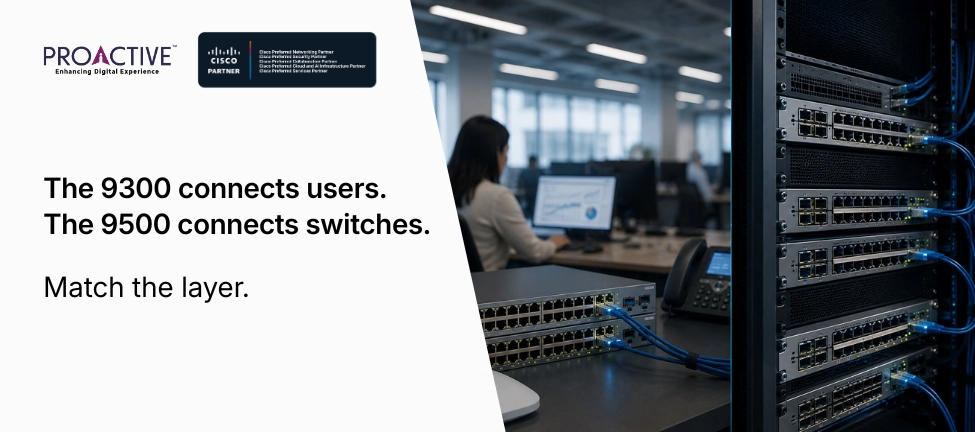
In a catalogue, the Catalyst 9300 and 9500 look like neighbours: consecutive numbers in the same Catalyst 9000 family, similar styling, overlapping price ranges at the edges. In a network, they belong to different floors of the building, figuratively and often literally. The 9300 connects your users; the 9500 connects your switches. Choose between them by the number rather than the role, and you end up with a core switch that cannot power an access point, or an access switch struggling to hold up a campus core.
This is one of the most common mis-specs in Cisco campus design, and it is entirely avoidable. The two switches are built for different layers and tell you so in their hardware. Here is what each is for, where it belongs, and how to stop ordering the wrong one.
The 9300 is an access-layer switch, and the 9500 is a core and aggregation switch. The 9300 connects end devices, with copper ports and Power over Ethernet to run phones, access points and cameras. The 9500 connects other switches, with high-density fibre and the throughput and routing scale a campus backbone needs, and no PoE at all (Cisco Catalyst 9000 FAQ).
The full contrast makes the intended roles obvious:
| Catalyst 9300 | Catalyst 9500 | |
|---|---|---|
| Network layer | Access (and small distribution) | Core and aggregation |
| Connects | Endpoints: PCs, phones, APs, cameras | Switches: aggregates access stacks and uplinks |
| Ports | Copper access, 1G and mGig, modular uplinks | High-density fibre, 10/25/40/100G |
| Power over Ethernet | Yes, PoE+, UPOE, UPOE+ | No |
| Stacking | Physical StackWise, up to 8 units, ~1 Tbps | StackWise Virtual, 2 units over uplinks |
| StackPower | Yes, pools power across the stack | No |
| Throughput and buffers | Sized for the access layer | High throughput, deep buffers |
| Routing scale | Capable, especially with Advantage | Built for core BGP and OSPF scale |
| Best for | Floor and closet access, powering devices | Campus core, fibre aggregation, building interconnect |
Connecting and powering the things people use. The 9300 is the access switch that sits in a floor cupboard, with copper ports, increasingly multi-gigabit, for laptops, IP phones, wireless access points, cameras and building systems. Its defining feature is Power over Ethernet, up to UPOE+, so it delivers both data and power to those devices over one cable (Cisco Catalyst 9000 FAQ).
Two more features mark it as an access switch. Physical stacking lets you join up to eight 9300s with rear-panel cables into one logical unit with up to a terabit of stack bandwidth, so a wiring closet of switches manages as one. And StackPower pools the power supplies across the stack, so if one switch loses its feed it can draw power from a neighbour, which matters when the stack is running a dense set of high-wattage Wi-Fi 6E or 7 access points. This is a switch built to sit close to users and devices and keep them connected and powered.
Moving traffic between switches at speed. The 9500 is a fixed core and aggregation switch, built to take the fibre uplinks coming from many 9300 access stacks across a campus and route between them with high throughput, deep packet buffers and the BGP and OSPF scale a backbone needs (Cisco Catalyst 9500 architecture). Its ports are high-density fibre, 10, 25, 40 and 100 gigabit, because it connects infrastructure, not endpoints.
It also has no Power over Ethernet, by design. A core switch never powers a phone or an access point, so PoE would be wasted. For resilience, the 9500 uses StackWise Virtual, which makes two physical switches behave as one logical core over standard high-speed uplinks rather than dedicated stacking cables, giving the backbone redundancy without a single point of failure. Everything about the 9500 is shaped for the centre of the network, not the edge.
You should not, and usually cannot sensibly. The 9500 has no Power over Ethernet, so it cannot run the access points, phones and cameras that an access switch exists to power. Its ports are fibre, not the copper access ports endpoints plug into, and its design and price are aimed at backbone throughput you would not use at the edge. Putting a 9500 in an access role means paying core money for a switch that cannot do the access job.
The temptation usually comes from a spec sheet that reads "more powerful" and assumes more powerful is better everywhere. At the access layer, the 9500's strengths are irrelevant and its missing PoE is disqualifying. The right access switch is the one that powers and connects devices, which is the 9300.
For a small, simple network, a 9300 can serve as a collapsed core, but it is not a substitute for a 9500 in a real campus core. The 9300 lacks the fibre port density, the throughput, the deep buffers and the routing scale that a backbone aggregating many buildings demands. Push a growing campus through a 9300 acting as core and you create the bottleneck the core exists to avoid.
The honest nuance is scale. A single small site with a few access switches may collapse access and core into one capable 9300 stack, and that is a legitimate design for that size. But as soon as you are aggregating fibre from multiple access stacks across buildings, with serious east-west traffic and routing, that is 9500 territory. Sizing the core to today's small network and not tomorrow's is how a 9300-as-core becomes next year's emergency.
As two layers of one campus. Access-layer 9300 stacks sit on each floor or in each building, connecting and powering endpoints. Their fibre uplinks run to 9500s at the core or aggregation layer, which route between them and connect to the data centre, the WAN and the internet edge. The 9300 gathers the users; the 9500 ties the building together. That is the standard campus hierarchy, and each switch is doing the job it was built for.
The size of the network decides how many layers you need. A large multi-building campus has distinct access and core layers, 9300s feeding 9500s. A small single site may collapse them. The principle holds either way: match the switch to the layer, and let the 9300 be access and the 9500 be core, rather than forcing either to do the other's work.
Decide by the role the switch will play, not by the higher number. If the switch will connect and power endpoints, laptops, phones, access points, cameras, you want the 9300, sized and stacked for the port count and power you need. If the switch will aggregate fibre uplinks from access stacks and route the campus backbone at high speed, you want the 9500. Most campuses need both, in the right places.
The mistake to avoid is choosing on a single impressive number rather than fit. A 9500 is not a "better 9300", and a 9300 is not a cheaper 9500. They are different tools, and the right design uses each where it belongs.
Getting access and core right across a campus, the port counts, the PoE budgets, the uplink speeds, the routing scale, is the design work that decides whether a network performs and whether you overpaid for it. It is also easy to get wrong from a price list that lists both switches side by side.
Proactive Data Systems, a Cisco Preferred Networking Partner with 35 years of experience and more than 1,500 customers, sizes each layer of a campus to its role, 9300s where you connect and power devices, 9500s where you aggregate and route, so you buy the right switch for each job rather than the wrong one at either price. If a quote or a design has a 9500 in an access slot or a 9300 holding up a core, ask us to check it before you order. Write to [email protected].

Proactive Enterprise Networking Team
We'll get back to you shortly.