Updated: 16 February 2026
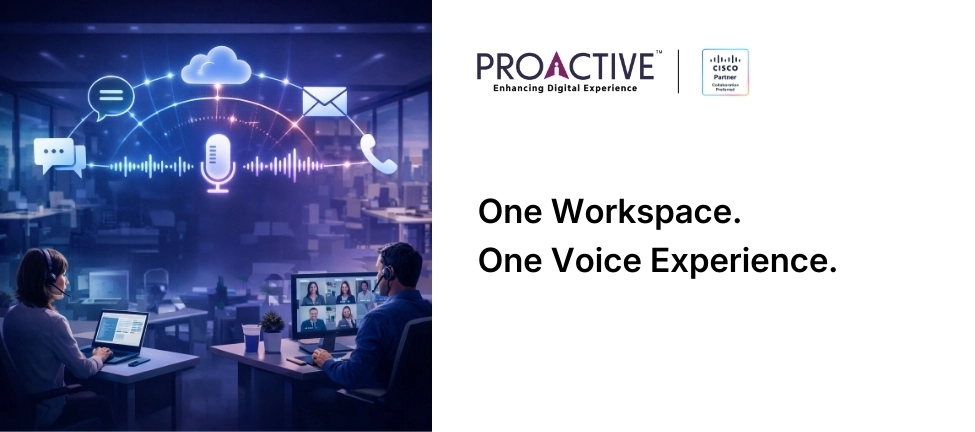
Most enterprises have already chosen a collaboration platform. Very few chose a clean voice strategy.
Microsoft Teams sits at the centre of daily work for millions of users. Meetings, chats, files, workflows. Voice, though, often lives elsewhere. Legacy PBXs linger. Cloud migrations stall halfway. Parallel calling platforms run beside Teams, tolerated rather than trusted.
This is not confusion. It is accumulated compromise.
Before anything else, it helps to answer the question most IT leaders search for first.
Yes, Webex Calling can integrate with Microsoft Teams. In this model, Teams remains the user interface for calling, while Webex Calling provides enterprise-grade call control, PSTN connectivity, and policy enforcement behind the scenes. Users stay in Teams. Voice runs on Cisco.
For many organisations, especially large, distributed ones, the question is no longer Teams or Webex. It is how to integrate Webex Calling with Microsoft Teams without creating a fragile, confusing, or ungoverned voice layer.
Done well, this integration reduces friction. Done badly, it creates silent failures that surface only when the business needs voice the most.
Teams dominates collaboration interfaces. Webex Calling often anchors enterprise voice strategy. That split happens for clear reasons. Enterprises trust Cisco-grade calling for reliability, PSTN reach, regulatory handling, and complex call flows. At the same time, users live inside Teams.
Ignoring either side forces trade-offs you do not want. Integration lets you keep enterprise-grade calling while meeting users where they already work. The goal is not feature parity. The goal is operational coherence.
Ask yourself a simple question. Do your users care which platform powers the call, or do they only care that it works every time?
They already do, across thousands of enterprises globally, including many with complex, regulated, and multi-site environments.
Teams acts as the primary user interface for calling. Webex Calling provides call control, numbering, PSTN connectivity, and advanced call logic underneath. The integration links the two, so users place and receive calls from Teams while IT retains a proven, enterprise-grade calling backbone.
What does not change is responsibility. Voice quality, compliance, and uptime still depend on design and operations.
The most common mistake is treating Webex Calling for Teams as a convenience add-on.
Voice is infrastructure. It depends on identity, networks, routing, policy, and governance. Plug-in thinking leads to shallow deployments that break under scale.
Best practice starts with architecture. Decide early where call control lives, how numbers map to users, and how identity flows between Microsoft Entra ID and Cisco systems.
Clarity here avoids later rework.
Organisations that rush this step often discover mismatches in call routing, voicemail handling, or emergency calling. Fixing those post-go-live costs time and trust.
Most failures follow a pattern.
Identity drifts between platforms. Call quality drops inside Teams during peak hours. Recording policies apply in one system and not the other. Support tickets bounce between vendors. These issues rarely appear in pilots. They surface once usage grows.
Integration does not remove physics.
Calls still depend on latency, jitter, packet loss, and path stability. Teams traffic, Webex voice, video, and business apps compete for the same links. Best practice means designing networks for voice first, not hoping QoS policies save you later. WAN paths, ISP diversity, Wi-Fi coverage, and branch routing must align with calling priorities.
A logistics firm operating across Mumbai, Bhiwandi, and Nagpur learned this after rollout. Calls inside Teams worked during off-peak hours and degraded during dispatch peaks. The fix required WAN segmentation and traffic shaping, not platform changes. Integration exposes weak networks. It does not hide them.
Users expect one identity. IT teams often manage several. Webex Calling with Teams relies on tight identity alignment. User provisioning, number assignment, and policy control must stay in sync across platforms.
Loose identity hygiene leads to orphaned numbers, failed call transfers, and support tickets that bounce between vendors. Best practice keeps ownership clear. One system masters identity. Others consume it. Change control follows the same rule. This discipline matters most in large enterprises with frequent joins, moves, and exits.
Integration does not relax governance. It raises the bar.
Call recording, retention, lawful intercept, and audit trails must work end to end, not just within one platform.
Enterprises in regulated sectors often assume Teams shields them from voice compliance questions. It does not.
A BFSI organisation with offices in Gurugram and Jaipur faced audit queries on recorded calls initiated from Teams but handled by Webex Calling. The platform worked. The policy mapping did not.
Best practice defines compliance rules once and enforces them across systems.
If an auditor asked you to show call evidence today, could you do it without stitching logs together manually?
Many integrations look clean in pilots.
Problems surface at scale. Multi-site deployments, mixed ISPs, international numbers, and seasonal user spikes stress assumptions made early.
Best practice plans for scale from day one. Number management, SBC design, redundancy, and support workflows must handle growth without redesign. A manufacturing group expanding from Bengaluru to Hosur and Sanand avoided rework by standardising integration patterns early. Sites came online faster. Support loads stayed flat.
Scale rewards foresight.
Microsoft Teams offers strong collaboration and basic calling. Many enterprises still rely on Cisco for complex call flows, global PSTN reach, and regulatory handling.
Integration exists because neither system alone meets every enterprise need. Teams brings adoption. Webex Calling brings depth. Together, they work when roles stay clear.

On paper, Webex Calling and Teams integrate well. In production, details decide outcomes.
This is where Proactive plays a quiet but critical role. In environments where Cisco and Microsoft meet, Proactive acts as the interpreter. When issues cross boundaries, Proactive owns the outcome instead of letting responsibility fragment. Proactive has delivered integrated calling environments where Teams front-ends enterprise voice across India-wide deployments. The work involves more than configuration. It involves network readiness, identity discipline, governance design, and day-two operations.
Cisco provides the calling backbone. Microsoft provides the user workspace. Proactive ensures the two behave like one system, even when the environment is messy.
That difference matters when issues surface at scale.
Users click to call from Teams. Calls connect fast. Quality holds. Compliance rules apply. IT teams see one operational view. No confusion. No shadow systems. No last-minute workarounds. That is not marketing language. It is operational hygiene.
Enterprises that integrate Webex Calling with Teams well reduce support tickets, protect call quality, and keep governance intact while giving users freedom.
The work is not about choosing sides. It is about making voice invisible until it matters.
If your organisation runs on Teams and depends on voice, integration is not optional. Execution decides whether it becomes an advantage or a liability.

Proactive Collaboration Team
We'll get back to you shortly.