Updated: 22 June 2026
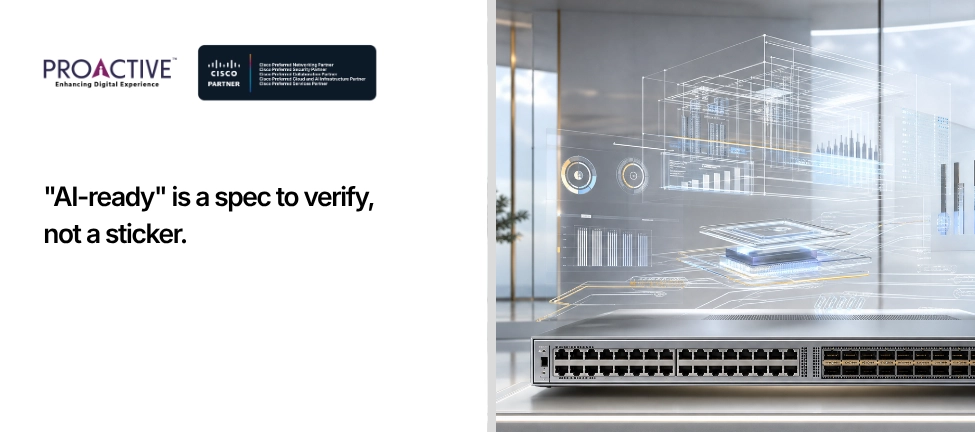
A CIO at a Mumbai financial-services firm received two refresh proposals in the same week, both stamped "AI-ready". One quoted ordinary access switches with a new sticker and a higher price. The other quoted a data-centre fabric built for GPU clusters, for a building full of laptops and meeting rooms. One was lazy, the other was wrong, and both used the same two words to mean nothing.
This is the state of the market. "AI-ready" has become the decade's most overused label, attached to anything a vendor wants to sell at a premium. Yet underneath the noise, AI genuinely is changing what a campus network must do. The trick for a CIO is separating the real engineering changes from the marketing, so you spend on what matters and ignore the sticker.
Three things actually change in campus switching and routing. None of them is a GPU fabric in your office. Here is what to fund, what to skip, and how to tell a substantive proposal from a painted one.
For a campus, AI-ready means a network built for denser, hungrier edge devices and instrumented well enough to be run by software. It does not mean the high-bandwidth, near-zero-latency fabric that trains AI models. That fabric lives in the data centre, where GPU clusters generate enormous traffic between each other.
Your campus has a different job. It connects people and devices to applications, increasingly including AI services that run in a data centre or the cloud. So an AI-ready campus is not a miniature data centre. It is a campus that can carry more bandwidth to each connection, deliver more power to each port, and produce the telemetry that lets automation, including AI-driven operations, keep it healthy. Hold that distinction, and most "AI-ready" pitches fall into one of two piles: addressing those real needs, or not.
Both, which is why the topic is confusing. The hype is the suggestion that ordinary offices now need data-centre networking. They do not. The AI workloads that demand exotic bandwidth and lossless fabrics are concentrated in the data centre, and pretending a campus needs the same is how buyers get oversold.
The real change is quieter and arrives from the edge. AI is putting more capable devices on your network and more intelligence into how networks are managed. More powerful endpoints, denser wireless, a rising tide of cameras and sensors, and a shift toward software watching the network in real time. These are evolutionary pressures on the access layer and on operations, not a revolution in your core routing. A CIO who understands this funds the access layer and the management platform, and declines the data-centre fabric a salesperson tried to attach. Which of your two proposals was describing your building, and which was describing a server room?
More at the edge than the old gigabit assumption allowed, because the devices have outgrown it. Wireless access points now exceed one gigabit of throughput, which has made multi-gigabit access ports, 2.5, 5 and 10 Gbps, the new baseline rather than a luxury, and the move to Wi-Fi 7 pushes that further (Cisco campus LAN design guide). A switch that only offers one-gigabit access ports is already behind the access points it will connect.
That edge increase ripples upward. As access ports get faster, your uplinks and distribution must grow too, or you simply move the congestion one layer up. Modern campus distribution and core designs now reach for 25 and 100 Gbps uplinks to hold a sensible oversubscription ratio. The practical test for a CIO reading a proposal is simple: does the access layer offer multi-gig ports, and do the uplinks scale to match? A quote with gigabit access and gigabit uplinks is not AI-ready by any honest definition, whatever the cover page claims.
Because the devices at the edge draw more, and there are more of them. Wi-Fi 7 access points, pan-tilt-zoom cameras, building sensors, lighting and access-control systems increasingly draw power over the same Ethernet cable, and the newer ones need serious wattage. The relevant standard is 802.3bt, delivering up to 60 watts and 90 watts per port, often marketed as UPOE and UPOE+ (Cisco campus LAN design guide).
The number that catches buyers out is not the per-port wattage but the switch's total power budget. Forty-eight ports each capable of 90 watts is a very different power and cooling requirement from the switch you bought five years ago, and it shapes your electrical planning, not just your purchase order. So an AI-ready access switch is partly a power decision. Ask any bidder what the total PoE budget of the proposed switch is, fully loaded, and whether your risers and UPS can feed it. The answer tells you whether they have thought about your building or just your traffic.
Rich, continuous telemetry, because you cannot automate or apply intelligence to a network that cannot describe itself. Older networks were polled occasionally for basic counters. An AI-ready network streams detailed data continuously, about traffic, performance, device health and client experience, into a platform that can act on it. This is the unglamorous foundation under every "AI for networking" promise: no telemetry, no intelligence.
This matters because the second way AI touches the campus is in how it is run. The same instrumentation that helps you troubleshoot today is what feeds the automated operations of tomorrow. A switch that exports modern streaming telemetry is an investment in every management improvement that follows. One that speaks only in legacy counters is a blind spot you will be working around for years. When you evaluate hardware, treat its telemetry capability as seriously as its port speed.
This is the half of "AI-ready" that is real today and undersold. AI-driven operations, often called AIOps, apply machine learning to the flood of telemetry a network produces, spotting anomalies, correlating events and pointing operators at the real cause faster than a human scanning dashboards. For a lean Indian IT team running a large estate, that is a genuine multiplier.
The trend is not speculative. Analysts expect AIOps adoption to climb steeply over the next few years and forecast that AI will take on a growing share of routine network operations by the end of the decade (IDC/Gartner analysis via IBM). The implication for a CIO buying switches now is direct: the equipment you choose today should be ready to be managed this way, through a modern controller and clean telemetry, even if your team adopts AIOps gradually. Buy for the operating model you are moving toward, not only the one you have.
The fastest way to judge a proposal is to compare what it changes against what actually matters:
| Old Campus Assumption | What AI-ready Actually Requires | Common AI-washing |
|---|---|---|
| 1 Gbps to the desk and AP | Multi-gig access (2.5/5/10G), scaled uplinks | "AI-ready" sticker on gigabit switches |
| PoE+ for phones | 802.3bt up to 90W and a large total power budget | Per-port wattage quoted, total budget hidden |
| Occasional SNMP polling | Continuous streaming telemetry and a controller | "AI features" with no telemetry underneath |
| Manual, ticket-driven ops | Ready for AI-driven operations (AIOps) | Dashboards rebranded as "AI" |
| Flat or lightly segmented LAN | Segmentation ready for many device types | Security promises with no segmentation design |
| Data-centre fabric for offices | Right-sized campus design | GPU-fabric pitch for a building of laptops |
If a proposal lands in the right-hand column, you are being sold a label. If it addresses the middle column, it is engineering. The cover page is the least reliable part of either.
Resist both the panic and the dismissal. You do not need to rip out a working network because of AI, and you should not buy a data-centre fabric for a campus. You should make sure that the next switches you buy, in the refresh you were going to do anyway, are right on the three axes that matter: multi-gig access with uplinks to match, generous 802.3bt power, and modern telemetry through a real controller. Build segmentation into that design while you are at it, because more device types on the network are the other thing AI guarantees.
Treat "AI-ready" as a specification to verify, not a brand to trust. The CIO who folds these requirements into the normal refresh cycle ends up genuinely ready, at no premium for the sticker. The one who buys the label pays more for less.
Cutting marketing from engineering is exactly the conversation a CIO should expect from a partner, rather than another pitch deck with the same two words on the front.
Proactive Data Systems is a 35-year-old system integrator with more than 1,500 customers and a Cisco Preferred Partner in Networking, Security, Collaboration, Cloud and AI, and Services under the Cisco 360 program. We design campus networks for what your building will actually carry: multi-gig access sized to your wireless, power budgets that survive a full load of Wi-Fi 7 and IoT, telemetry and segmentation built in, and a controller-led operating model your team can grow into. CCIE-led design, a 24x7 NOC in India, and honest advice about which "AI-ready" features you need and which you can ignore.
Holding a proposal stamped "AI-ready" and unsure whether it is engineering or marketing? Send it to Proactive. We will tell you which lines change your network and which only change the price.

Proactive Enterprise Networking Team
We'll get back to you shortly.