Updated: 26 November 2026
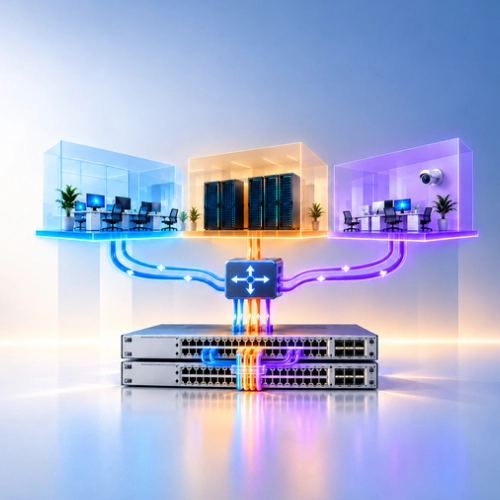
Cisco's switching range spans budget access switches to modular cores, and choosing the wrong one wastes money or starves the network. This selector narrows it to the right model in a few questions, based on where the switch sits, what it connects, and what it has to power.
Answer the questions below and you'll land on a recommendation, with a one-line reason and where to read more. It's a starting point, not a final design, but it gets you to the right family fast.
The tool asks up to four short questions and maps your answers to a Catalyst model. The logic is simple and transparent, so here it is in full, both as the decision path the tool follows and as the recommendations it produces.
Connect end devices (PCs, phones, access points, cameras) → go to Question 2 (access layer).
Aggregate other switches/act as the network core → go to Question 4 (core layer).
Connect a site to the internet or other sites (routing/WAN) → you need a router, not a switch. See the Catalyst 8000 router selector.
No PoE, just data → Question 3, budget/standard branch.
PoE for phones and standard access points (PoE+) → Question 3, standard.
High-power PoE (UPOE/UPOE+ 60–90W) for Wi-Fi 6E/7 access points and dense IoT → shortlist the 9300X or a 9400 chassis; go to Question 3 to confirm scale.
Small, simple, cost-sensitive site; fixed uplinks are fine → Catalyst 9200L.
Small-to-mid site that may grow; wants modular uplinks and more scale → Catalyst 9200 (basic) or Catalyst 9300 (workhorse).
Busy floor needing multi-gigabit access for Wi-Fi 6E/7 and high PoE → Catalyst 9300X.
Large wiring closet needing high-density access, chassis redundancy and dual power → Catalyst 9400.
A compact, high-speed fixed core; redundancy via a pair (StackWise Virtual) → Catalyst 9500.
The largest campus core needing a modular chassis, redundant supervisors and 400G headroom → Catalyst 9600.
You prefer a simple cloud dashboard across many sites, and don't need SD-Access → consider Cisco Meraki MS instead of Catalyst.
You want on-premises control, deep automation or an SD-Access fabric → stay with Catalyst.
Catalyst 9200/9200L: budget access. The 9200L for small, fixed, cost-sensitive sites; the 9200 where you want modular uplinks and more scale.
Catalyst 9300: the workhorse access switch for most enterprise floors, with stacking and PoE.
Catalyst 9300X: access with multi-gig ports and 90W PoE for Wi-Fi 6E/7 and dense IoT.
Catalyst 9400: modular access and distribution chassis with high-density PoE and redundancy.
Catalyst 9500: fixed core and aggregation, high-speed fibre, no PoE.
Catalyst 9600: modular core chassis for the largest campuses, redundant supervisors and 400G.
Cisco Meraki MS: cloud-managed access to aggregation, when simplicity across many sites matters more than SD-Access.
Catalyst 8000 (router): if the job is connecting to the internet or other sites, you need a router; use the router selector.
The right model is the start; the right SKU, licence tier, optics, PoE budget and support still need sizing, which is where a bill of quantities comes in. This selector pairs with the switch refresh ROI calculator and the EOL checker to take you from "which model" to "what it costs and when to replace what you run." For a design and a costed quote, book a network audit.
We'll get back to you shortly.