Updated: 25 June 2026
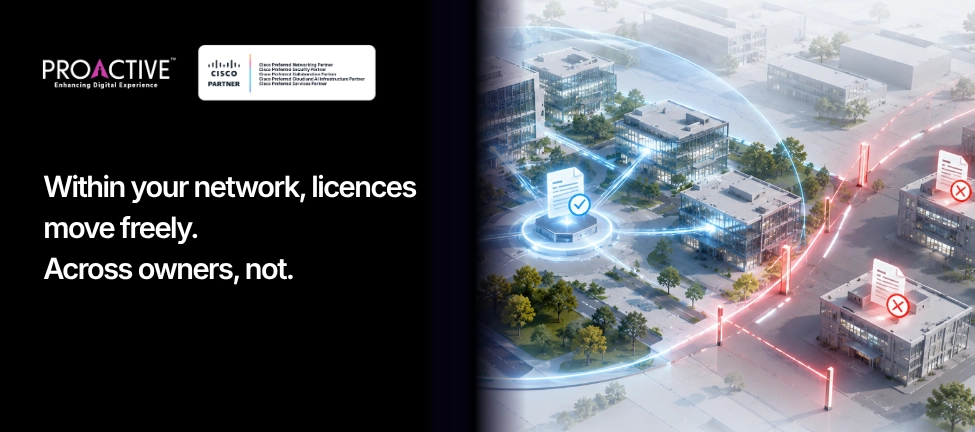
This question turns up at every refresh and every hardware failure, and it has two very different answers depending on what you mean. Moving a licence to another switch inside your own network is routine. Moving a licence to someone else, or onto used gear you bought, is a different matter with Cisco's consent and a fee attached.
The confusion comes from an outdated mental model. People still picture a licence as a key locked to one box. Under Cisco's Smart Licensing, it is not. Here is how transfers actually work, when they are free, and what cannot be moved at all.
Within your own organisation, yes. Cisco licences are not bound to a specific switch; they sit in your Smart Account as a pool, and devices draw from that pool. So a licence freed by a retired switch becomes available for a new one in the same account, which is what most people mean when they ask to "move" a licence (Cisco licensing).
Transferring a licence to a different company, or onto second-hand equipment you have purchased, is the case that is not free or automatic. That requires Cisco's involvement, and we cover it below. Keep the two cases separate, and the rules stop seeming contradictory.
In a Smart Account, organised into Virtual Accounts. Your Smart Account is the master container for everything you have bought; Virtual Accounts are sub-groups you define by site, business unit or geography. Licences live in those accounts as entitlements, and each switch reports the licences it is using against the pool. The device consumes; it does not own.
That structure is the whole reason in-network transfers are easy. You are not unlocking and relocking a key. You are changing which device draws from a pool you already hold.
Let the old device release the licence, and let the new one consume it. When you retire a switch, you remove it from Cisco Smart Software Manager, which returns its entitlement to the pool in your Smart Account. The replacement switch then reports its usage and draws the same entitlement. Under Smart Licensing Using Policy this is reporting, not registration, so there is no token to juggle and no permission gate to clear.
The practical discipline is to decommission cleanly. A retired switch left registered in CSSM holds its entitlement and can make the pool look short. Remove it, and the licence is there for the new box.
It transfers to the replacement at no extra licence cost. When a switch fails and Cisco sends a replacement under RMA, you remove the failed unit from CSSM so its entitlement returns to the pool, and the replacement consumes it (Cisco licensing). You keep the licence you paid for; only the hardware changed.
This is the reassuring case for operations teams. A hardware failure does not cost you a licence, provided you tidy up the failed device in CSSM rather than leaving it consuming a phantom entitlement.
Yes, for licences that are unassigned. You can transfer licences between Virtual Accounts inside the same Smart Account through Cisco's licensing portal, which is useful when you reorganise by site or business unit. The limits are worth knowing: only unassigned, unconsumed licences are eligible, and a reserved entitlement, the kind used in fully air-gapped reservations, cannot be moved between Virtual Accounts until it is released first.
So routine housekeeping across your own accounts is straightforward, with two exceptions, anything already consumed by a device or already reserved.
This is the case that is not free or automatic. Cisco software licences are not transferable from one party to another unless Cisco permits it. A transfer to a different organisation requires Cisco's written consent through a formal transfer request, is governed by the Cisco Software Transfer and Re-Licensing Policy, and usually involves a transfer fee, with certain permitted scenarios such as mergers exempt from the fee (Cisco Software Transfer and Re-Licensing Policy).
This is also why used equipment carries a hidden cost. A buyer of second-hand Cisco gear must relicense the software, because the previous owner's licence does not travel with the box to a new party. The hardware changes hands; the licence does not, until Cisco relicenses it, often after a paid hardware inspection.
What Is and Is Not Transferable: Quick Reference
| Scenario | Transferable? | How |
|---|---|---|
| New switch in your own network | Yes | Retire the old device in CSSM; new device consumes from the pool |
| RMA replacement | Yes, no extra licence cost | Remove the failed unit; replacement consumes the entitlement |
| Between Virtual Accounts (same Smart Account) | Yes, if unassigned | Move in the licensing portal; consumed or reserved licences excluded |
| To another company or on bought used gear | Not freely | Needs Cisco consent, a transfer request, usually a fee; buyer must relicense |
| Reserved (air-gapped) entitlement between VAs | No | Release the reservation first |
Most licence "loss" at refresh time is not a rule problem; it is a housekeeping problem. Switches retired without being removed from CSSM, pools that look short because phantom devices still hold entitlements, used gear bought without budgeting for relicensing. None of it is hard to avoid once the Smart Account is kept tidy and the transfer rules are understood.
Proactive Data Systems, a Cisco Preferred Networking Partner with 35 years of experience and more than 1,500 customers, keeps clients' Smart Accounts clean from the first purchase order, handles licence moves and RMAs correctly, and flags relicensing costs before they surprise you. If a refresh or an audit has your licensing in a tangle, ask us to sort it.

Proactive Enterprise Networking Team
We'll get back to you shortly.