Updated: 26 June 2026
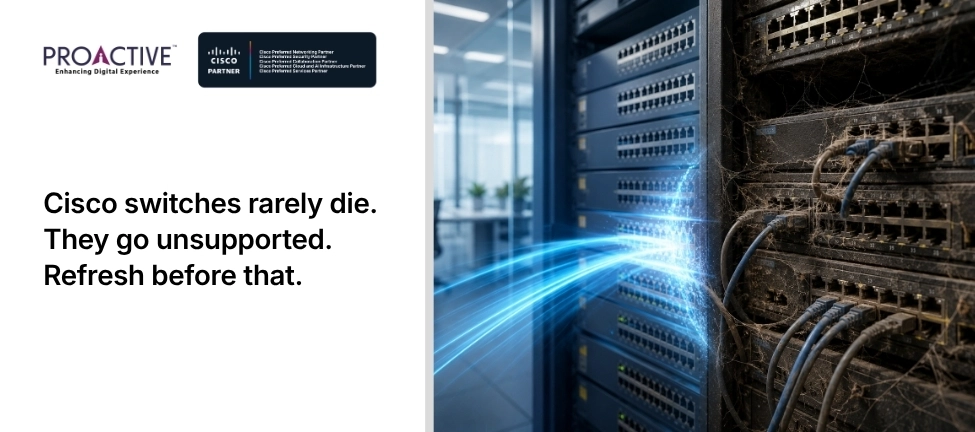
"How long does a Cisco switch last?" sounds like a hardware question, and the hardware answer is "a long time". A well-kept switch in a cool, clean rack can run for a decade. But that is rarely the number that should decide when you replace it, because a switch almost never dies on the job. It becomes unsupported, then insecure, while still humming along perfectly.
So the useful answer involves three different clocks: how long the hardware physically lasts, how long the warranty covers it, and how long Cisco supports it. Only one of them tells you when to refresh.
Physically, most enterprise switches run for seven to ten years or more, and many keep working well beyond that. In terms of useful service life, organisations typically refresh enterprise switches on a five-to-seven year cycle, not because the hardware failed, but because it has aged out of support or capacity.
The three clocks line up like this, and the third is the one that matters:
| "Lifespan" | What It Measures | Typical Duration |
|---|---|---|
| Physical | Until the hardware actually fails | Often 7–10+ years |
| Warranty | Cisco's hardware-defect cover | Limited lifetime, with limits (see below) |
| Support | Until the Last Date of Support, when patches stop | About 5 years after End-of-Sale |
Plan to the support clock, and the hardware almost always has life to spare when you retire it. Plan to the physical clock, and you will run unsupported, insecure equipment for years.
Hardware defects, and not much else. Many Cisco Catalyst switches carry a Limited Lifetime Warranty, which covers the hardware for as long as the original owner uses it, with two important limits: fans and power supplies are covered for five years, and once a product is discontinued, warranty support runs for only five years from that announcement (Cisco Limited Lifetime Warranty terms).
So "lifetime" does not mean forever. It effectively means until the product reaches the end of its support life. The warranty also replaces faulty hardware, but it does not give you software updates, security patches or technical support. Those come from a separate contract.
The warranty fixes broken hardware; the support contract keeps the switch current and defended. SmartNet, now Smart Net Total Care, provides access to Cisco technical assistance, software updates including security fixes, and faster advance hardware replacement than the bare warranty offers.
This distinction catches people out. A switch can be "under warranty" and still be a security risk, because the warranty will replace a dead unit but will not patch a vulnerability. For any switch carrying real traffic, the support contract, not the warranty, is what keeps it safe to run.
Before it reaches its Last Date of Support, which is the date Cisco stops issuing any updates or fixes for that model (Cisco end-of-life policy). After that date, every new vulnerability in the switch goes unpatched forever, so an unsupported switch is a growing security and compliance liability even while it runs perfectly.
Three other triggers bring a refresh forward. Capacity: if your switches cannot deliver the multi-gigabit access and power that Wi-Fi 6E and 7 need, they are holding the network back regardless of support status. Reliability: rising failures, especially of fans and power supplies past their five-year cover, signal an ageing fleet. And compliance: running unsupported, unpatchable equipment that handles personal data is hard to defend under India's DPDP rules. Which of your switches is closest to its Last Date of Support today, and do you know the date?
No, and this is the most common and most expensive mistake. Because switches rarely fail outright, "run it till it dies" really means "run it years past support", accumulating unpatched vulnerabilities and audit findings while saving very little. The hardware outlives its security, and the gap becomes your risk.
The better discipline is to track the lifecycle dates and refresh ahead of the Last Date of Support, on a planned cycle, rather than waiting for a failure or an auditor to force the issue. A planned refresh is cheaper, calmer and safer than an emergency one.
Start from the dates, not the symptoms. For each switch model, find its End-of-Sale and Last Date of Support, mark which devices carry sensitive traffic, and you have a prioritised refresh timeline. Aim to replace equipment before its support ends, budgeting a year or two ahead so the spend is planned rather than reactive. Trade-in programmes can offset the cost of the new hardware against the old, which softens the budget conversation.
This is the unglamorous lifecycle tracking that keeps a network both supported and affordable. Proactive Data Systems, a Cisco Preferred Networking Partner with 35 years of experience and more than 1,500 customers, maps your switching estate against its lifecycle dates, flags what is approaching end of support, and plans a phased, budgeted refresh, so you replace switches on your schedule rather than after an incident. Ask us for a lifecycle assessment of your network.

Proactive Enterprise Networking Team
We'll get back to you shortly.