Updated: 26 June 2026
For twenty years, a gigabit was enough at the desk and the access point, and one-gigabit ports were the access-layer default. Wireless then outgrew the wire. A modern Wi-Fi access point can push more than a gigabit, and plugging it into a one-gigabit port throttles it. Jumping straight to ten-gigabit would mean recabling the whole building, which is expensive and slow.
Multigigabit Ethernet is the bridge across that gap. It delivers speeds between one and ten gigabits over the copper cabling you already have. Here is what it is, what it runs over, and when you actually need it.
Multigigabit Ethernet, often called mGig or NBASE-T, is a set of Ethernet speeds, 2.5 and 5 gigabits per second, that run over ordinary twisted-pair copper, standardised as IEEE 802.3bz in 2016 (2.5GBASE-T and 5GBASE-T). It sits between regular gigabit Ethernet and ten-gigabit, and an mGig port auto-negotiates to the fastest speed the cable can carry.
The point is reach without rewiring. A single mGig port typically supports 100 Mbps, 1G, 2.5G and 5G on existing cable, and 10G where the cabling allows, choosing the right speed automatically. The speeds and the cable they need look like this:
| Speed | Standard | Cabling | Maximum Distance |
|---|---|---|---|
| 1 Gbps | 1000BASE-T | Cat5e / Cat6 | 100 m |
| 2.5 Gbps | 2.5GBASE-T (802.3bz) | Cat5e | 100 m |
| 5 Gbps | 5GBASE-T (802.3bz) | Cat6 | 100 m |
| 10 Gbps | 10GBASE-T | Cat6A | 100 m |
To fill an awkward gap. Gigabit was no longer enough for modern access points, but the next standard step, ten-gigabit, needs Cat6A cabling to reach 100 metres, and most buildings are wired with Cat5e or Cat6. Recabling an entire campus to Cat6A to gain speed at the access edge is costly and disruptive.
The 2.5 and 5 gigabit standards solve this by squeezing more speed from the cable already in the wall. Cat5e carries 2.5 gigabits to 100 metres, and Cat6 carries 5 gigabits to 100 metres, no new cable required (2.5GBASE-T and 5GBASE-T). You raise access-layer bandwidth by two to five times while leaving the cabling untouched, which is why mGig spread quickly.
Most often, for wireless. Wi-Fi 6E and Wi-Fi 7 access points can deliver well over a gigabit, and connecting one to a one-gigabit switch port caps its throughput at the port, wasting the access point you paid for. A 2.5 or 5 gigabit mGig port is what lets a modern access point reach its potential (Cisco Multigigabit).
Beyond wireless, you want mGig where high-bandwidth endpoints live, engineering and media workstations, and increasingly devices handling AI workloads, that genuinely use more than a gigabit. And it is sensible future-proofing for any access refresh, because the access points and endpoints you buy over the next several years will assume more than gigabit at the edge. If you are upgrading to Wi-Fi 6E or 7, mGig is effectively mandatory at the ports those access points connect to.
Usually not, which is the whole appeal. Cat5e supports 2.5 gigabits and Cat6 supports 5 gigabits, both to the full 100 metres, so the cable already serving your access points and desks generally carries mGig without change. You only need Cat6A if you want a full 10 gigabits to 100 metres.
So the common upgrade path is to replace the access switch with an mGig model and keep the cabling. Check the cable type and condition first, but for most offices wired in the last fifteen years, the wire is ready and only the switch needs to change.
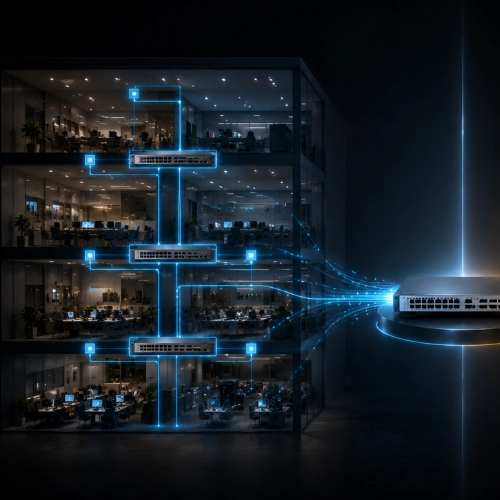
Yes, and ignoring this just relocates the bottleneck. If you feed many 2.5 or 5 gigabit access ports into a switch, all that traffic still has to leave the switch toward the core. An access switch with mGig ports needs high-capacity uplinks, 10, 25 or higher gigabit, or you simply move the congestion from the access port to the uplink (Cisco Multigigabit). Size the uplinks to match the access bandwidth you have enabled.
mGig ports also usually carry Power over Ethernet, because the access points they feed need powering over the same cable. Higher-power Wi-Fi 6E and 7 access points can draw a lot, so plan the switch's total PoE budget alongside its port speeds.
For ordinary one-gigabit devices, you do not. Desk phones, basic PCs, printers and most wired endpoints are well served by standard gigabit ports, and paying for mGig on those connections buys speed they will never use. The value of mGig is concentrated where bandwidth genuinely exceeds a gigabit, chiefly access-point uplinks and high-end endpoints. A sensible design mixes the two: mGig where the access points and power-users sit, plain gigabit everywhere else.
Choosing where mGig belongs, and sizing the uplinks and PoE to match, is the unglamorous detail that decides whether a wireless upgrade actually performs. Proactive Data Systems, a Cisco Preferred Networking Partner with 35 years of experience and more than 1,500 customers, designs access layers for Wi-Fi 6E and 7, with mGig where it counts, uplinks that keep pace and PoE budgets that hold under load. If you are planning a wireless or access refresh, ask us to size it so the network is fast where it needs to be and not over-bought where it does not.

Proactive Enterprise Networking Team
We'll get back to you shortly.