Updated: 19 June 2026
A network engineer at a Hyderabad defence contractor refused to upgrade a stack of Catalyst 9300s for a year. His reasoning sounded sensible. The new licensing model wanted the switches to "phone home" to Cisco, his network was air-gapped by mandate, and he would not punch a hole in it for a licence check. So the estate sat on old software, missing security fixes, because of a belief about licensing that was simply wrong.
Smart Licensing Using Policy does not require your switches to phone home. It does not stop your network if they cannot. Most engineers who fear it are still picturing the old model, the one with registration tokens that expired and devices that failed to register. That model is gone. This guide explains what replaced it, in plain English, including the part nobody documents well: how it works when your network never touches the internet.
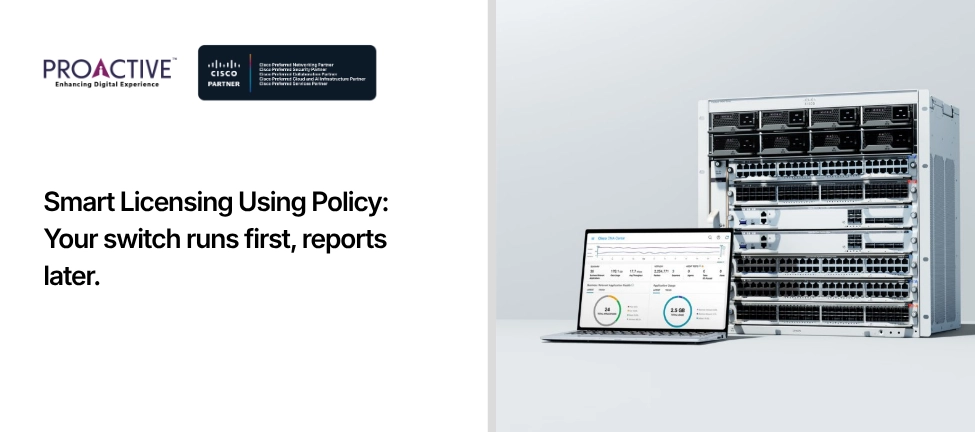
Smart Licensing Using Policy, often shortened to SLP or SLUP, is the licensing model Cisco introduced with IOS XE 17.3.2 and now uses across Catalyst switches, enterprise routers and wireless controllers. It replaced the earlier Smart Licensing. Its central idea is a shift from asking permission to reporting usage (Cisco SLP documentation).
Under the old model, a device had to register with Cisco's Smart Software Manager before it could use a licence, using a token that expired in 30 days. Under Smart Licensing Using Policy, the device boots, applies its licence and runs. It records what it is using and reports that consumption to Cisco on a schedule that a policy defines. The licence works first. The paperwork follows. For a network engineer, that single change removes most of the old pain.
The difference that matters is the death of the registration token. There is no token to generate, no 30-day clock, no "registration failed" state that blocks a feature. A new switch ships ready to run its licence out of the box.
Three practical consequences follow. Your device never fails to turn on a licensed feature because it could not reach Cisco. Compliance and operation are now separate ideas: an unenforced licence keeps working even when a report is overdue, and the gap shows up as a status in Cisco's portal, not as an outage on your floor. And reporting is periodic and light, not a live permission check on every boot. If you remember Smart Licensing as the thing that broke a deployment at 9 p.m., this is the version that does not.
A RUM report, or Resource Utilization Measurement report, is the file your device produces to tell Cisco which licences it is consuming. It is the heartbeat of the whole model, and it is the thing you send, by one route or another, to Cisco's Smart Software Manager.
How often you send it is set by the policy on the device, not by you guessing. The policy defines whether a report is needed at all and the maximum number of days you have to report a change in licence consumption (Cisco SLP documentation). For a great many enterprise switching deployments, the policy asks for a report only when consumption changes, which on a stable network can mean very rarely. The mental model to keep is simple: you report usage occasionally, you do not seek approval constantly.
No, and this is the point most engineers miss. You no longer register a device with a token before it can run a licence. What you may install instead is a trust code, a one-time credential that secures the device's communication with Cisco. From IOS XE 17.7.1a, a trust code is factory-installed on new orders, so often you do nothing; otherwise, you generate an ID token in your Smart Account, install it once, and the device obtains its trust code.
The distinction is worth holding onto. The old token was permission to operate, and it expired. The new trust code is an identity for secure reporting, and it does not gate the licence. Lose the old token, and a feature could go dark. Never install a trust code and an unenforced licence still runs; you simply have a less streamlined reporting path.
This is the question that stalls government, defence, banking and OT networks across India, and the answer is that air-gapped operation is fully supported. You have four reporting topologies, and three of them never need the device itself to touch the internet.
| Topology | How Reporting Reaches Cisco | Best For |
|---|---|---|
| Direct to CSSM | Each device connects to Cisco's Smart Software Manager over the internet | Small, internet-connected sites |
| Via CSLU | Devices report to the Cisco Smart License Utility on your LAN; CSLU talks to Cisco | Most enterprises; one controlled egress point |
| Via SSM On-Prem | An on-premises Smart Software Manager collects usage; syncs to Cisco online or by file | Large or segmented estates |
| Fully offline | The device saves a RUM report to a file; you upload it to the Cisco portal and import the acknowledgement back | Air-gapped and classified networks |
For the Hyderabad engineer, the right answer was the last row. The switch generates a usage file with a single command, someone carries it to an internet-connected machine, uploads it to Cisco's portal, downloads the acknowledgement file, and imports it back to the switch. No live link, no hole in the air gap, no compromise. The Cisco Smart License Utility can also run in a disconnected mode, collecting reports inside the secure zone and exchanging files with Cisco in batches. Air-gapped networks were designed into this model, not bolted on.
Not all licences behave the same way, and knowing which type you hold tells you whether you can ignore the internet entirely. Cisco defines three enforcement types (Cisco SLP documentation):
Unenforced licences, which are the vast majority, including the Network Essentials and Advantage tiers on your Catalyst switches. These need no authorisation before use, in connected or air-gapped networks alike. You buy, you deploy, you report later.
Enforced licences, which require an authorisation code installed on the device before the feature will run. These are uncommon in mainstream campus switching; an example is the Media Redundancy Protocol licence on industrial Ethernet switches.
Export-controlled licences, restricted under US trade law, which also require an authorisation code. The High Speed Encryption licence, HSECK9, on certain routers is the one most Indian buyers meet. For both of these, you obtain a Smart Licensing Authorisation Code, or SLAC, before the feature works, even offline. The lesson: standard switching is unenforced and frictionless; only specific encryption and industrial features need the authorisation step. Which type of licences are in your last purchase order?
A few avoidable mistakes account for most of the support tickets. Teams assume a missing report means a broken feature, panic, and open a case for a problem that does not exist; on an unenforced licence, nothing has stopped. Teams forget that enforced and export-controlled features genuinely do need an SLAC first, and they discover this during a maintenance window rather than before it. And teams in air-gapped environments do not stand up CSLU or SSM On-Prem early, so reporting becomes a manual scramble instead of a quiet batch job.
None of these is hard to avoid. All of them are easier to design out at the start than to fix later. The model is forgiving, but it rewards a few decisions made on purpose: which topology, which licences are enforced, and who owns the periodic report.
Licensing models change every few years, and your team should not have to become full-time licensing analysts to keep a network compliant and running. That is the job of a partner who lives in this detail.
Proactive Data Systems is a 35-year-old system integrator with more than 1,500 customers and a Cisco Preferred Partner in Networking, Security, Collaboration, Cloud and AI, and Services. We design the licensing topology to fit your network, including air-gapped and segmented environments, set up CSLU or SSM On-Prem, confirm which features need a SLAC before you hit a maintenance window, and manage the reporting so compliance is a background task, not a fire drill. CCIE-led design, a 24x7 NOC in India, and Smart Accounts kept clean from the first purchase order.
Migrating to Smart Licensing Using Policy, or staring at an air-gapped network wondering how reporting will ever work? Ask Proactive to design it with you. The model is simpler than its reputation once someone shows you the map.
Disclaimer: This article is general guidance, not a substitute for Cisco's official licensing documentation. Behaviour varies by platform, IOS XE release and licence type. Verify policy, reporting requirements and authorisation steps against current Cisco documentation for your specific products before a migration or maintenance window.

Proactive Enterprise Networking Team
We'll get back to you shortly.