Updated: 09 September 2026
The names are almost identical. The jobs are not. StackWise and StackWise Virtual both turn several Cisco switches into one logical switch, but they do it at different layers, for different reasons, over different connections. Confusing them leads to specifying the wrong one, so here's the clean distinction.
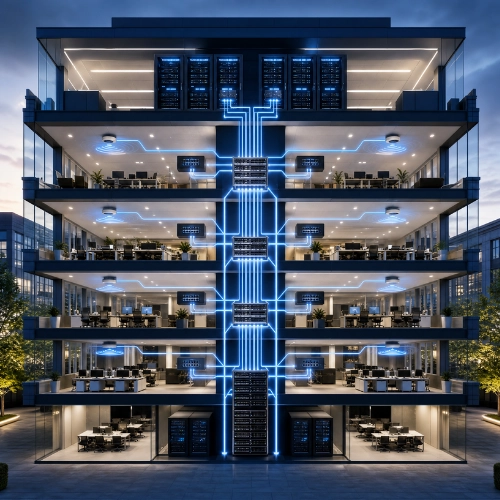
StackWise combines up to eight access switches into one logical switch using dedicated rear stacking cables, mainly to consolidate port density and management. StackWise Virtual joins exactly two core or distribution switches into one logical unit over standard Ethernet uplinks, mainly for redundancy and loop-free, active-active forwarding. Different layer, different purpose, different connection.
That's the whole answer. The detail is worth a minute.
StackWise vs StackWise Virtual at a Glance
| StackWise | StackWise Virtual | |
|---|---|---|
| Network layer | Access | Core, aggregation, distribution |
| Members | Up to 8 switches | Exactly 2 switches |
| Connection | Dedicated rear stacking cables | Standard Ethernet uplinks (10/40/100G) |
| Main purpose | Port density and single management | Redundancy and loop-free active-active |
| Platforms | Catalyst 9200, 9300 | Catalyst 9500, 9600 |
| Licence | Any tier | Network Advantage required |
| Result | One logical switch | One logical switch |
Access-layer consolidation. StackWise joins a wiring closet's worth of access switches, up to eight Catalyst 9200 or 9300 units, into a single logical switch using proprietary stacking cables on the back of the units (Cisco Catalyst 9300 stacking).
The point is simplicity and scale. Eight switches become one management IP, one configuration, one device to look after, with combined port count. It's how you grow the access layer of a floor without multiplying the things your team has to manage. The stacking bandwidth varies by model, StackWise-160 on the 9200 up to StackWise-1T on the 9300X, but the idea is constant: many access switches, one logical box.
Core redundancy. StackWise Virtual takes two Catalyst 9500 or 9600 switches and makes them behave as one logical unit, but over ordinary high-speed Ethernet uplinks rather than dedicated stacking cables (Cisco StackWise Virtual).
Its purpose is resilience, not port count. A StackWise Virtual pair gives you a redundant core from two physical chassis, and because the two act as one, you get loop-free, active-active forwarding, both uplinks carrying traffic instead of one sitting idle under spanning tree. It removes the need for first-hop redundancy protocols and simplifies the topology. It's limited to two members, and it requires a Network Advantage licence, because this is a core-grade high-availability feature, not an access convenience.
By the layer you're building. Use StackWise at the access layer, where you're stacking floor switches to consolidate ports and management. Use StackWise Virtual at the core or distribution, where you want a resilient, single-logical core from a redundant pair with active-active uplinks.
In a real campus they work together, not in competition: 9300 access stacks using StackWise connect upward to a pair of 9500s in StackWise Virtual at the core. One technology scales the edge; the other hardens the centre. Choosing between them only becomes a question when someone reaches for the wrong one, a StackWise Virtual pair won't give you eight-member access density, and a StackWise stack won't give you a two-chassis redundant core.
Matching the right stacking technology to each layer is basic campus design, and easy to specify wrongly from a data sheet. Proactive Data Systems, a Cisco Preferred Partner with 35 years of experience and more than 1,500 customers, designs campuses with StackWise where it belongs at the access and StackWise Virtual where it belongs at the core. If you're planning a stacked access layer or a resilient core, send us the design and we'll confirm it before you order.

Proactive Enterprise Networking Team
We'll get back to you shortly.